
An audit form is a short form you put on your own website. Visitors give their name, email and website, and each one lands in KlientBrain as a lead. Nothing is checked or charged until you decide.
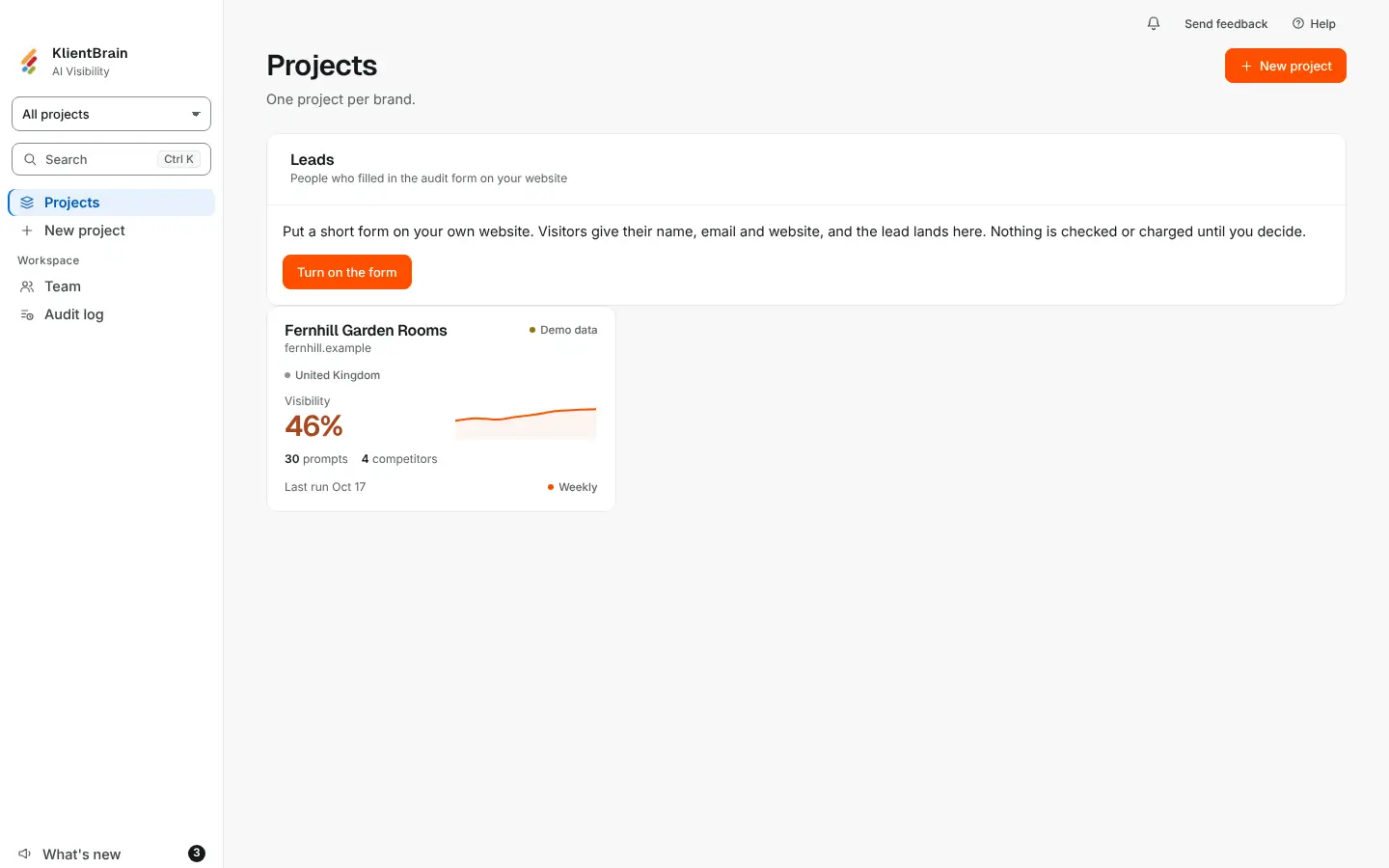
Turn it on
- Open the Projects page and find the Leads card.
- If the form is off, press Turn on the form. Only an Admin can.
- Under Add this to your website, press Copy and paste the script tag into your page. If your site builder needs an iframe, open Use an iframe instead. You can also link to the form page itself.
Visitors see the heading "Get a free AI visibility check", three fields (Your name, Your website and Email), the line "No credit card." and a button, Get my free audit. Afterwards the form says "Thanks. We'll be in touch."
What happens to a submission
- It appears in the Leads card with the Name, Email, Website and Date. Until the first one arrives the card says "No leads yet".
- You get an email about it, to the addresses you chose (see Settings below). The lead is kept even if the email cannot be sent.
- Submitting runs no check and costs you nothing. What you offer the visitor next is up to you.
- The same email address sent again to the same form within 24 hours is thanked but not stored again, and you are not emailed twice.
- The form is protected by a security check and by limits on how often one address can submit.
Press Export CSV to download the leads.
Settings
Open Settings at the bottom of the card (Admins only):
- Websites that may show the form: one per line. Leave it empty to allow any website.
- Email new leads to: who is told about each new lead.
- Turn off the form or Turn on the form: while it is off, visitors see nothing.
If the card says the form stays closed until the security check is set up, it is waiting on us, not on you.
Good to know
- Leads belong to your workspace, and a lead from a form can only ever land in the workspace that owns the form.
- The allowed websites list stops honest mistakes; it does not stop another site showing your form. A lead from such a page still lands in your list.