
The Platform comparison card puts every AI engine side by side, so you can see where you are strong and where an engine treats you differently. It sits on the Competitors page, on the Visibility tab.
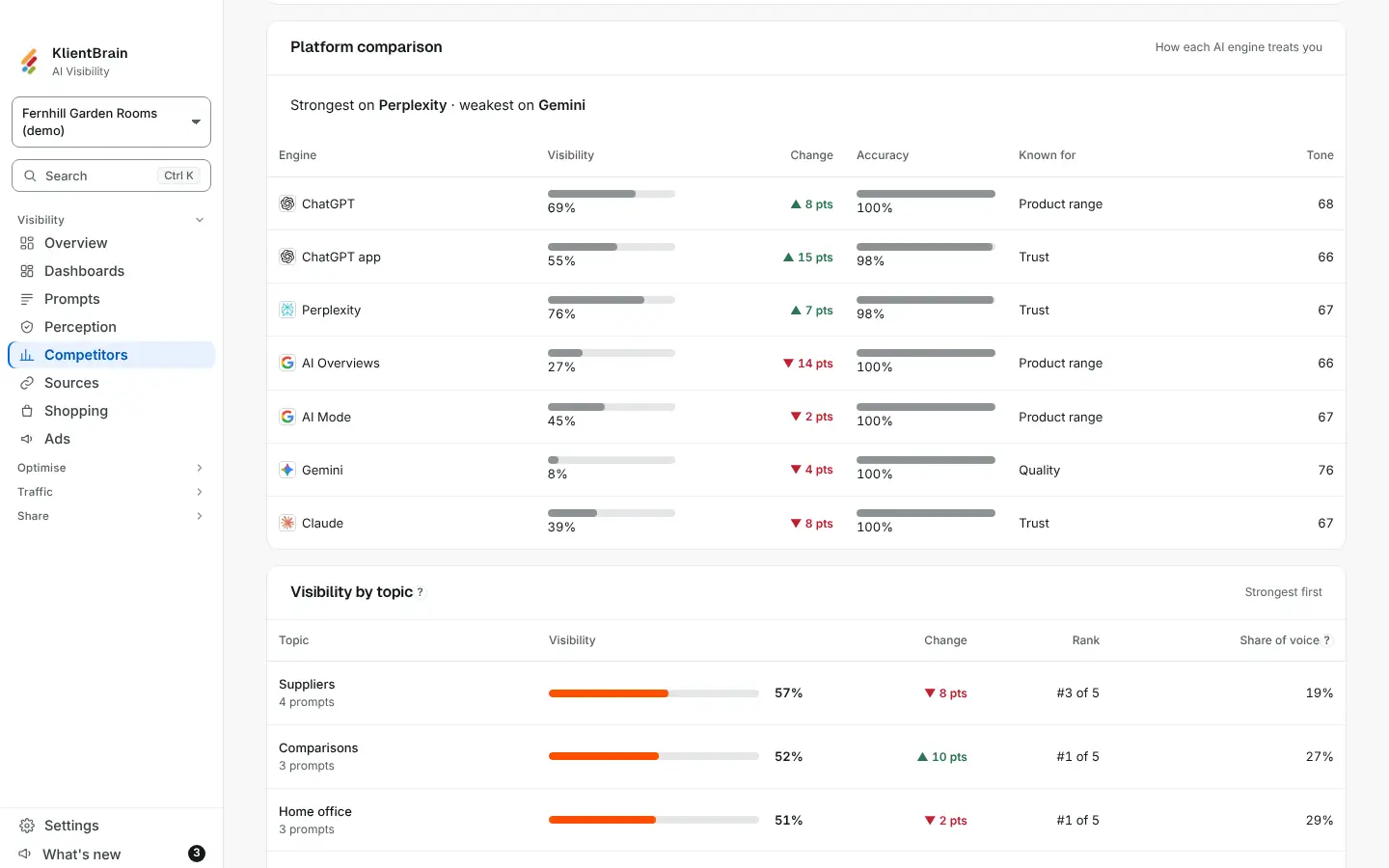
What each column shows
| Column | What it shows |
|---|---|
| Engine | One row for each engine with answers in the period |
| Visibility | The share of that engine's answers that name you, as a bar and a percentage. Hover for "Names you in 12 of 40 answers" |
| Change | Visibility now compared with the previous period: ▲ or ▼ and the points gained or lost, "no change" when it is flat, or a dash when there is nothing to compare. Shown only when the page is comparing two periods |
| Accuracy | The share of the answers that name you with no accuracy flag still standing. Hover for how many have one. A dash means no answer names you |
| Known for | The topic the engine most often says good things about you for. Hover to see the topic it most often raises against you, or "Nothing raised against you" |
| Tone | How the engine describes you, from 0 to 100, where 50 is neutral |
Above the table a line reads "Strongest on" one engine and "weakest on" another. It shows only when at least two engines have a figure and they differ; two engines tied for best or worst give no label.
Change since the previous period
The Change column compares this period's visibility on each engine with the one before, using the same filters. ▲ means more of that engine's answers name you than before, ▼ means fewer.
Known for and what is raised against you
Known for and the hover text are read from claims already stored from your answers, grouped by topic, engine by engine. No extra model call is made and nothing is paid for. A dash means the engine said nothing to group yet.
Good to know
- The card follows the page's filters: engines, market, check and dates. Change them and the rows change.
- The figures match the same figures elsewhere in the app, because they come from the same calculation.
- A dismissed accuracy flag does not count against Accuracy; open and reviewed flags do.
- With no answers in the period the card says "No answers in this period".