
Objections lists the negative things AI says about your brand, grouped by topic. It reads claims the checks have already stored, so opening it costs nothing.
Find it
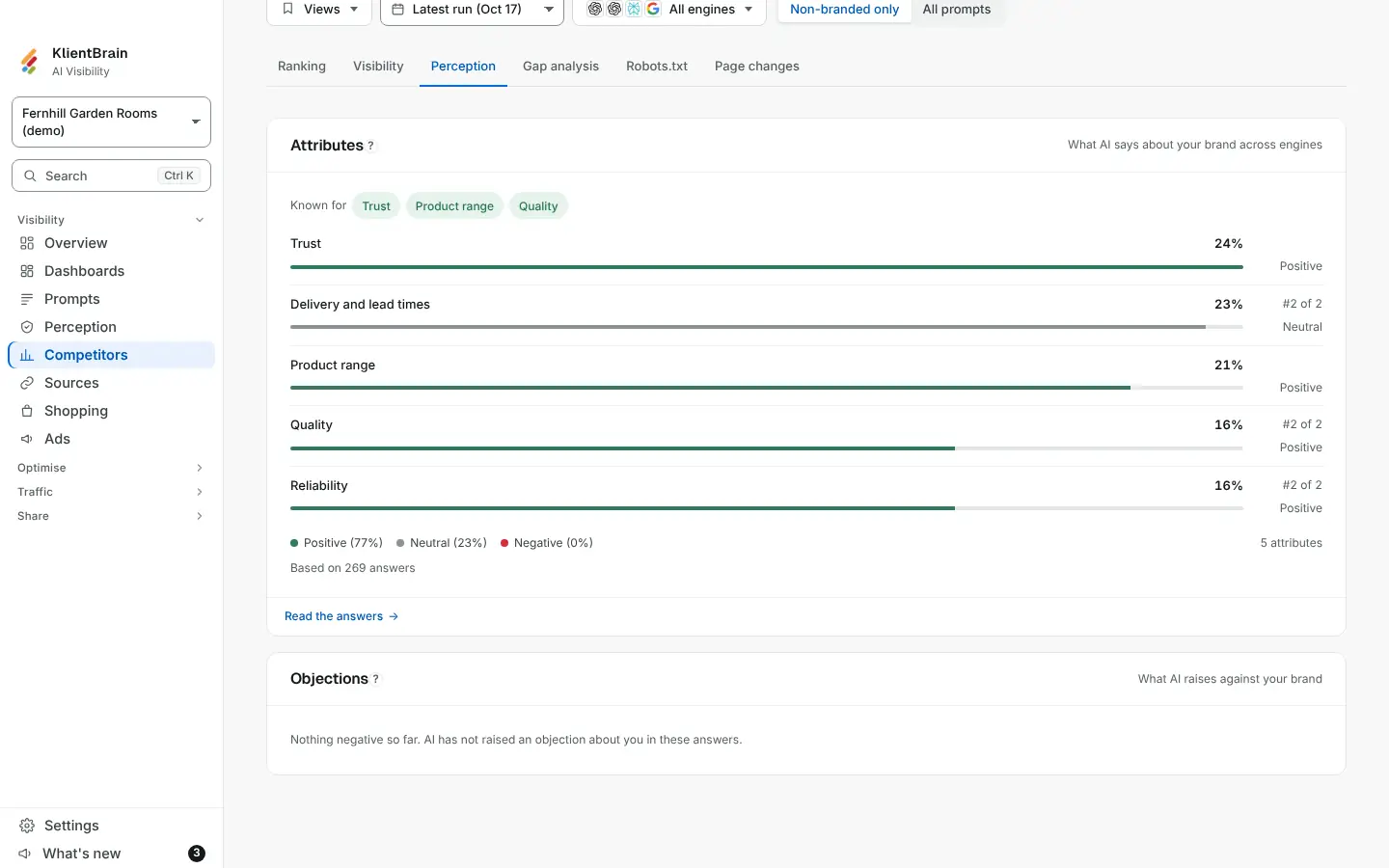
Open Competitors, then the Perception tab. The Objections card sits below Attributes. It follows the filter bar above it.
Read a row
Each row is a topic, for example pricing. From left to right:
- The topic.
- The engines that raised it, up to four, then a count.
- The share of answers that name you and raise it.
- A bar for how often it came up, against the topic that came up most.
Tap a row for the words AI used (up to two quotes, from different engines) and the sites its answers cited, with how many answers each appeared in. A row with few answers behind it has the hover line Few answers.
Based on N answers at the foot says how many answers the figures come from.
When it is empty
- Nothing negative so far. AI has not raised an objection about you in these answers. Good news.
- Not enough data yet. This fills in once AI has made a few claims about you. Check back after more runs.
Good to know
- Objections are grouped by topic, not by meaning, so two different complaints about pricing sit in one row.
- Only negative claims count. Read the answers takes you to your prompts to see the full replies.
- For the full picture of how AI describes you, including strengths, see Perception.