
Deleting a workspace removes the workspace, all of its projects and everyone's access to it. To delete one project instead, see Data and privacy. Only a workspace Admin is offered the button.
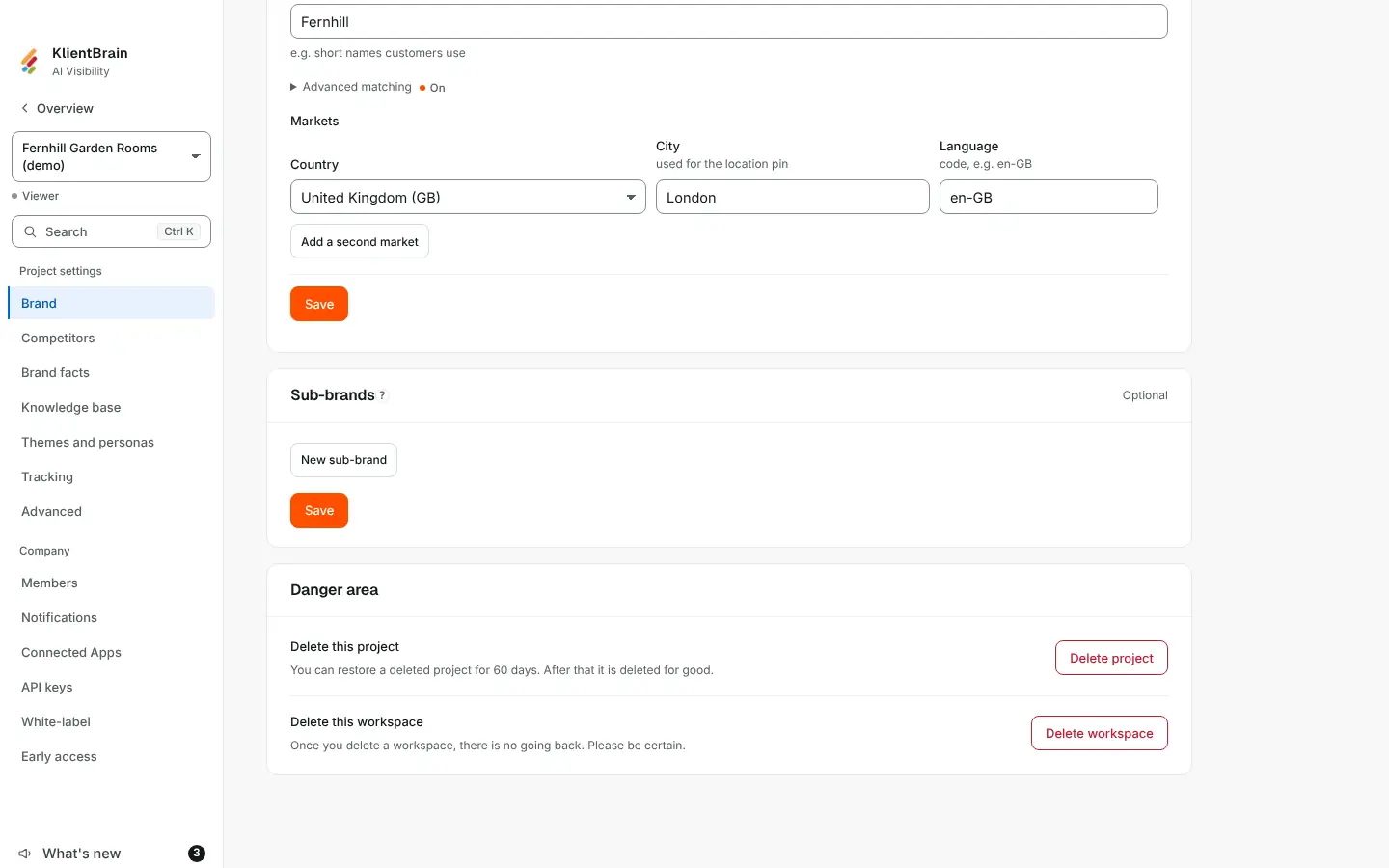
Delete it
- Open Settings, then the Brand tab, and scroll to the Danger area at the bottom.
- Find Delete this workspace. The line under it reads "Once you delete a workspace, there is no going back. Please be certain."
- Choose Delete workspace. A box asks Are you sure you want to do this?
- Type the workspace's name where it says Please type the name to confirm, then choose Delete workspace.
The button stays off until the name you typed matches. When it is done you are taken back to the start of the app.
If you pay for a plan
While a subscription is running, the row has no button. It says to cancel your subscription in Billing first, and that you keep your plan until the end of the period, after which you can delete the workspace. Cancelling at the end of the period does not count as ended: the button appears once the subscription has actually ended. See Billing and the free trial.
What happens to your data
- Everyone in the workspace loses access at once, and runs stop.
- The projects disappear from the app. Members cannot bring a deleted workspace back.
- The workspace is closed. Its projects are deleted for good after 60 days, and the rest of its data is kept until erasure is switched on. Records of who did what, and billing records tied to a payment account, are kept.
- If the workspace had a free trial, deleting it releases that trial, so the same business can start a new workspace with its own trial.
Who cannot delete
- A member who is not an Admin.
- KlientBrain's own workspace and the demo workspace.
- A workspace that is already deleted.
If you cannot find the row, check that you are an Admin on the Team members page, and that no subscription is running.