
The Band column puts a word beside each prompt's visibility, so you can pick out the strong and weak prompts without reading every figure.
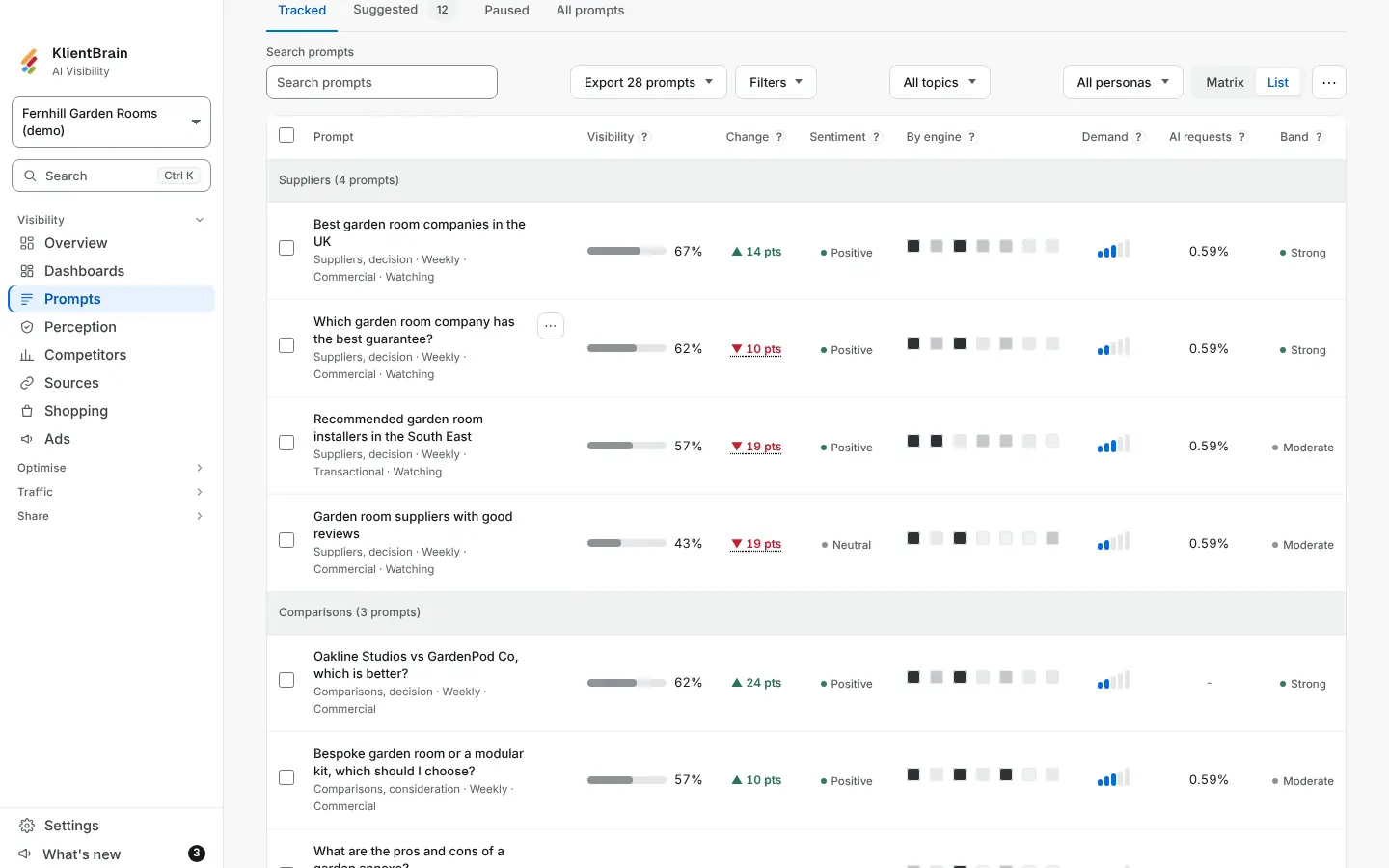
The four bands
| Band | Visibility |
|---|---|
| Strong | 60% or more |
| Moderate | 30% to just under 60% |
| Weak | above 0% and under 30% |
| Not shown | 0% |
Visibility is the share of a prompt's answers that name your brand, the same figure as in the Visibility column. A prompt with no results yet has no band.
Turn it on
Band is not in the table until you ask for it. On Prompts, open the ⋯ menu, find Columns and tick Band. The Matrix and List views each keep their own choice. Hover the ? beside the column heading to see the cut points.
What to do next
Sort or scan for Weak and Not shown prompts first. Open one to read the answers and see which brands are named instead. For the next step, see Find new prompts to track and Prompt detail.