
Citation changes shows how the websites AI cites have moved. It sits at the top of Sources, above the All cited domains table.
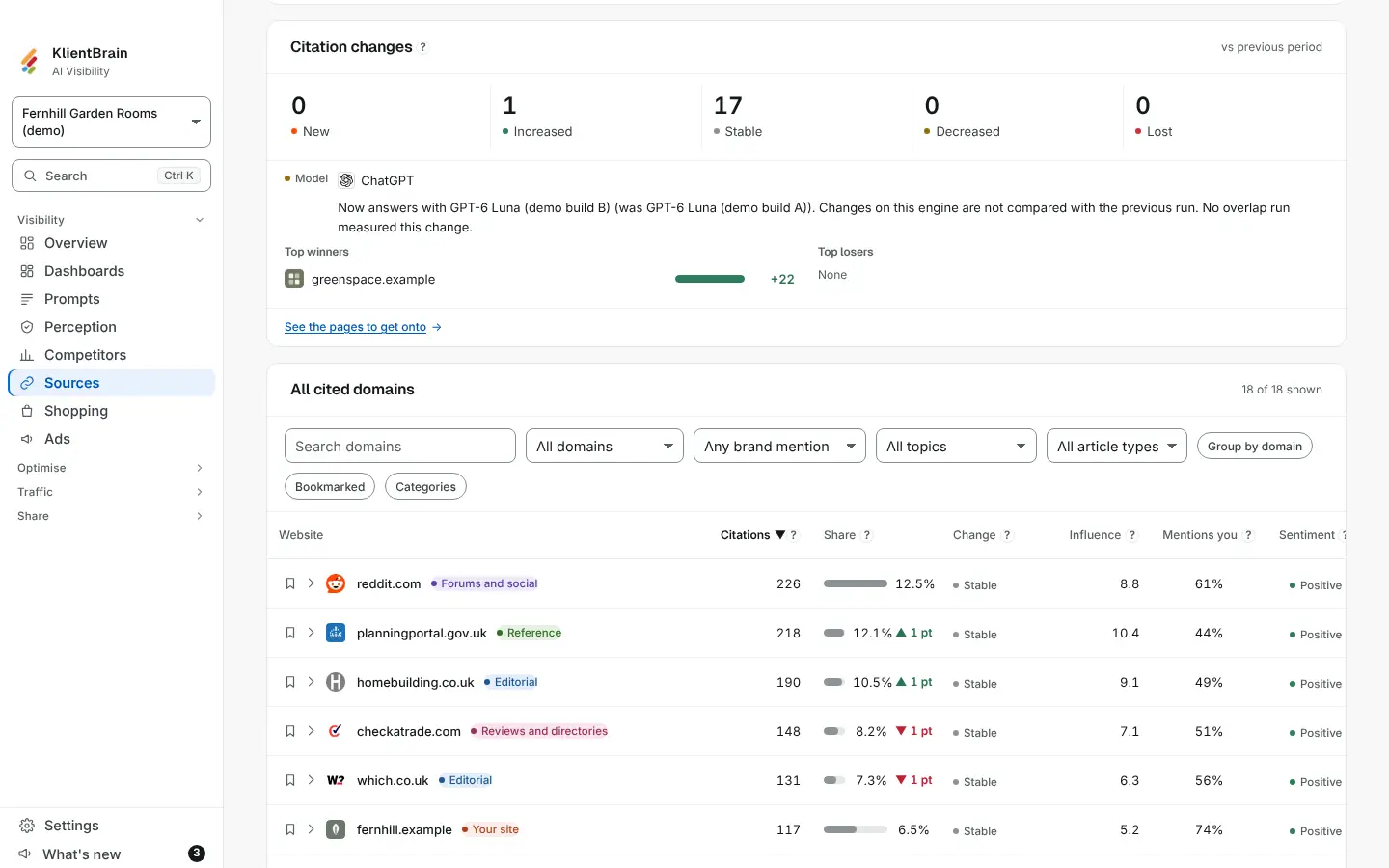
The five tiles
Each tile counts websites, and its hover line says how it is decided:
- New: not cited in the previous period, cited now.
- Increased: cited clearly more than in the previous period.
- Stable: about the same as the previous period, or the range of the repeats overlaps.
- Decreased: cited clearly less than in the previous period.
- Lost: cited in the previous period, not cited now.
Tap a tile to filter the table below to those websites. Tap it again to clear the filter. Lost swaps the table for the websites that dropped out.
Top winners and top losers
Under the tiles, Top winners and Top losers list the websites that moved most, with the size of the change as a bar. The table has a Change column too: a badge for the status and, unless it is stable, the change in citations, for example +2 or -1.5.
What it is compared with
The same two periods as the rest of the app: the date range you chose against the range of the same length just before it, or the latest check against the one before. The card says vs previous period. With nothing to compare against, for example a new project, the card and the column do not appear.
The two periods can hold different numbers of answers. The earlier count is scaled to today's volume before the two are compared, so three checks against two are not read as growth.
If an AI model changed
An engine whose model changed between the two periods is not compared. An amber Model line names it, so a change in the model is not read as a change in citations.
Good to know
Citation changes are about websites. Open a website in the table to see its pages. To see what to do about a gap, tap See the pages to get onto. See also Source details.