
When you change the text of a Fix with AI draft before you approve it, the app keeps the wording the assistant wrote, so you can always see what you changed.
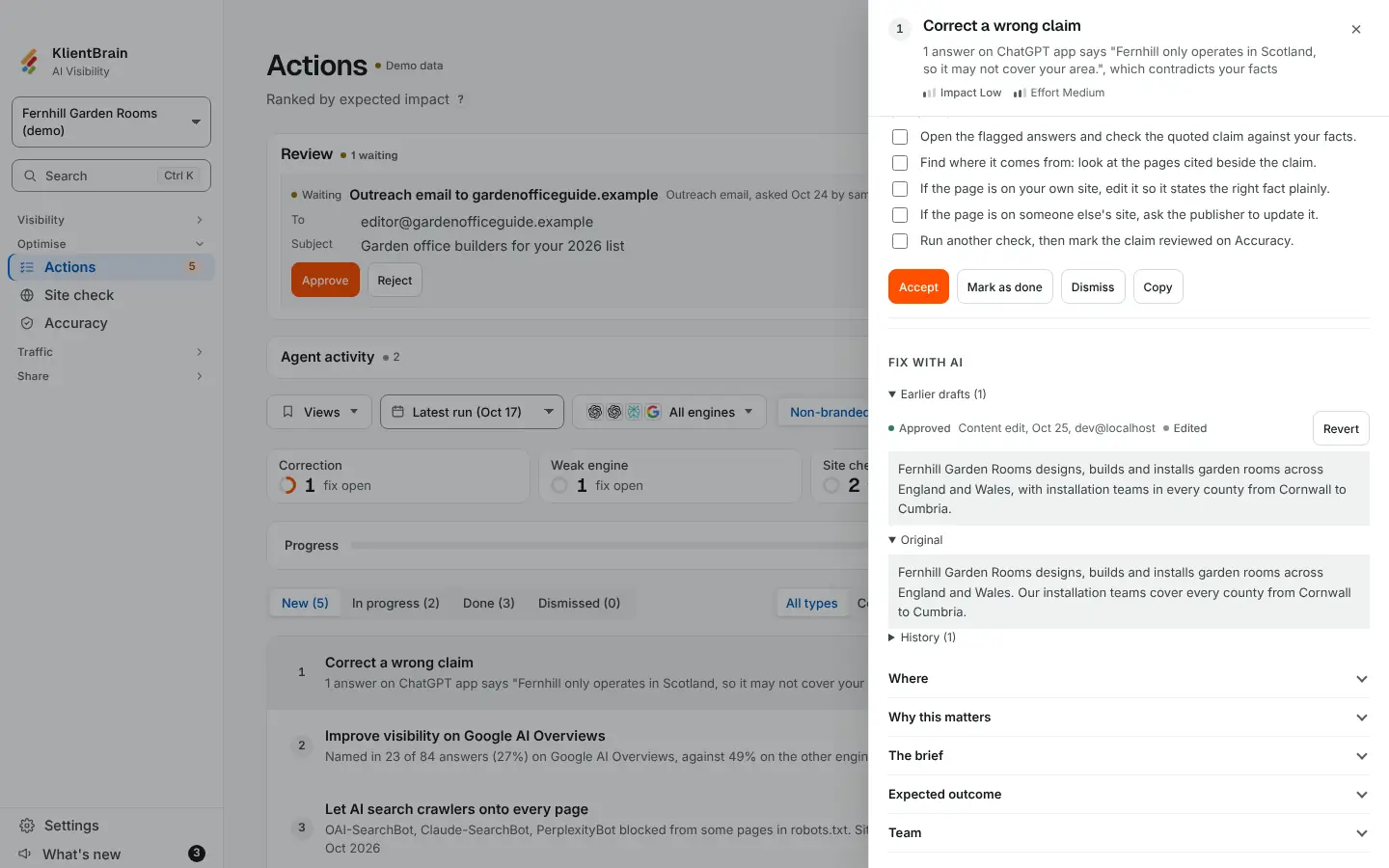
What you see
- On a draft that is waiting and has been changed, a small Edited tag appears. Beside it is an Original fold-out. Open it to read the assistant's wording.
- Inside it, Restore original puts the assistant's text back in the box. It does not save anything: Approve still does.
- On an approved draft, under Earlier drafts, the same Edited tag and Original fold-out show the assistant's wording beside what you approved.
- An outreach email works the same way for its subject and body.
A draft you approved without changing shows neither. Nothing new appears until you have edited something.
What counts as an edit
The text differs from the assistant's after leading and trailing spaces are trimmed, which is the same trim Approve applies. For an email, the subject and body are compared as the two boxes put them back together, so a different line layout alone is not an edit.
Limits
- It shows the two versions whole, not line by line.
- It covers Fix with AI drafts and outreach emails only. Notes, tasks and the brand profile are typed by you, so there is no original.
- It is separate from the undo log. The log records the approved text before and after each decision.