
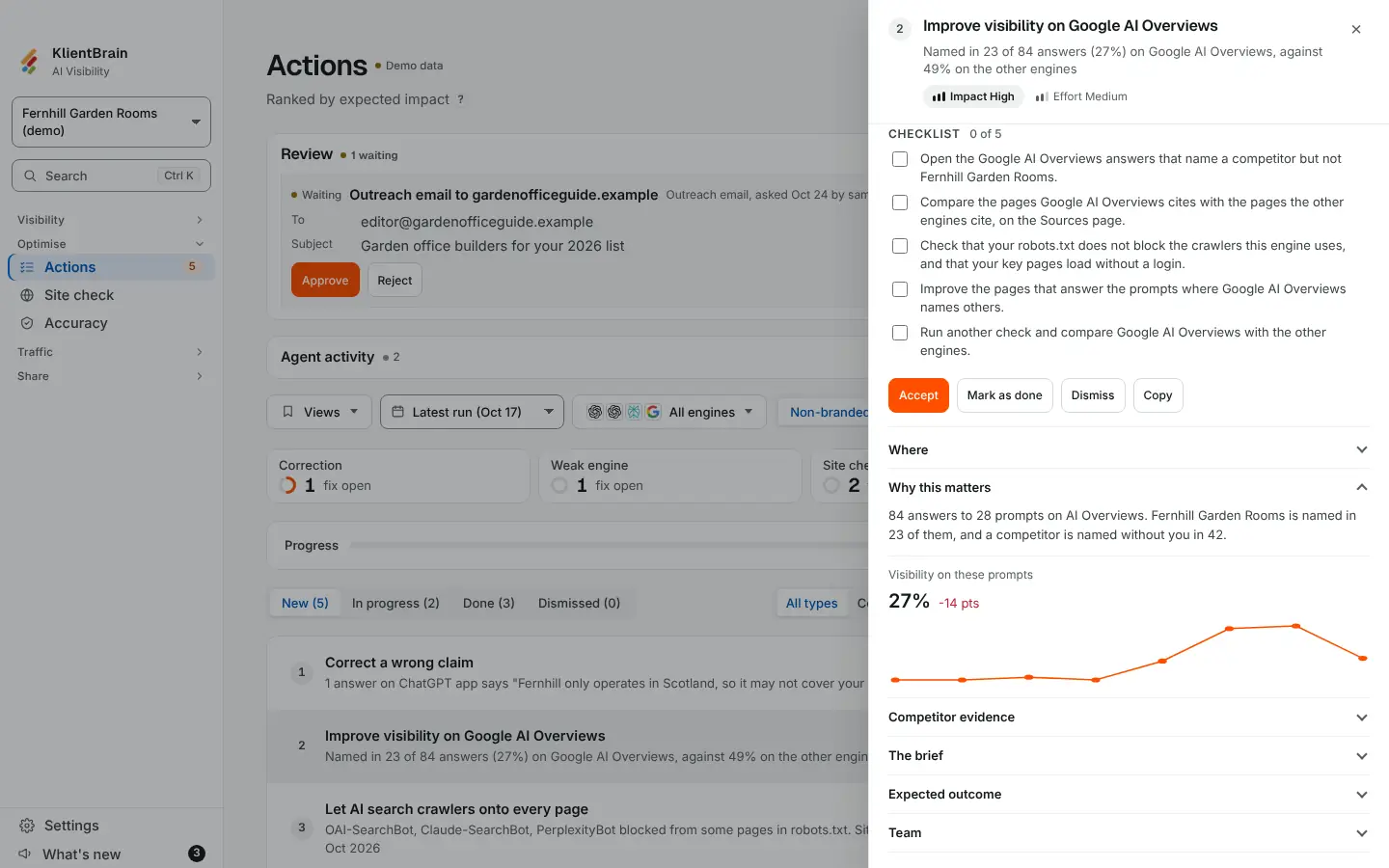
Open an action on the Actions page and, near the top of its panel, you may see a small chart. It shows how often you were named on that action's own prompts, one point for each of the latest checks.
What it shows
- A label: Visibility on this prompt when the action concerns one prompt, or Visibility on these prompts when it concerns several.
- The latest figure, such as 41%, and its change from the check before, in points.
- A line over up to the latest 8 checks. Hover or tap a point for its date and figure.
It uses the same measure as the visibility figures on the Overview, limited to the action's prompts and engines.
When there is no chart
- Site check fixes, which concern no prompts (see Site check fixes in Actions).
- Shopping fixes, because a before and after in the answer text would not show products appearing in product cards.
- Actions with fewer than two checks that have a figure.
Using it
Mark an action Done and watch the chart over the next checks to see whether it moves. For a verdict on fixes you have finished, see Results.