
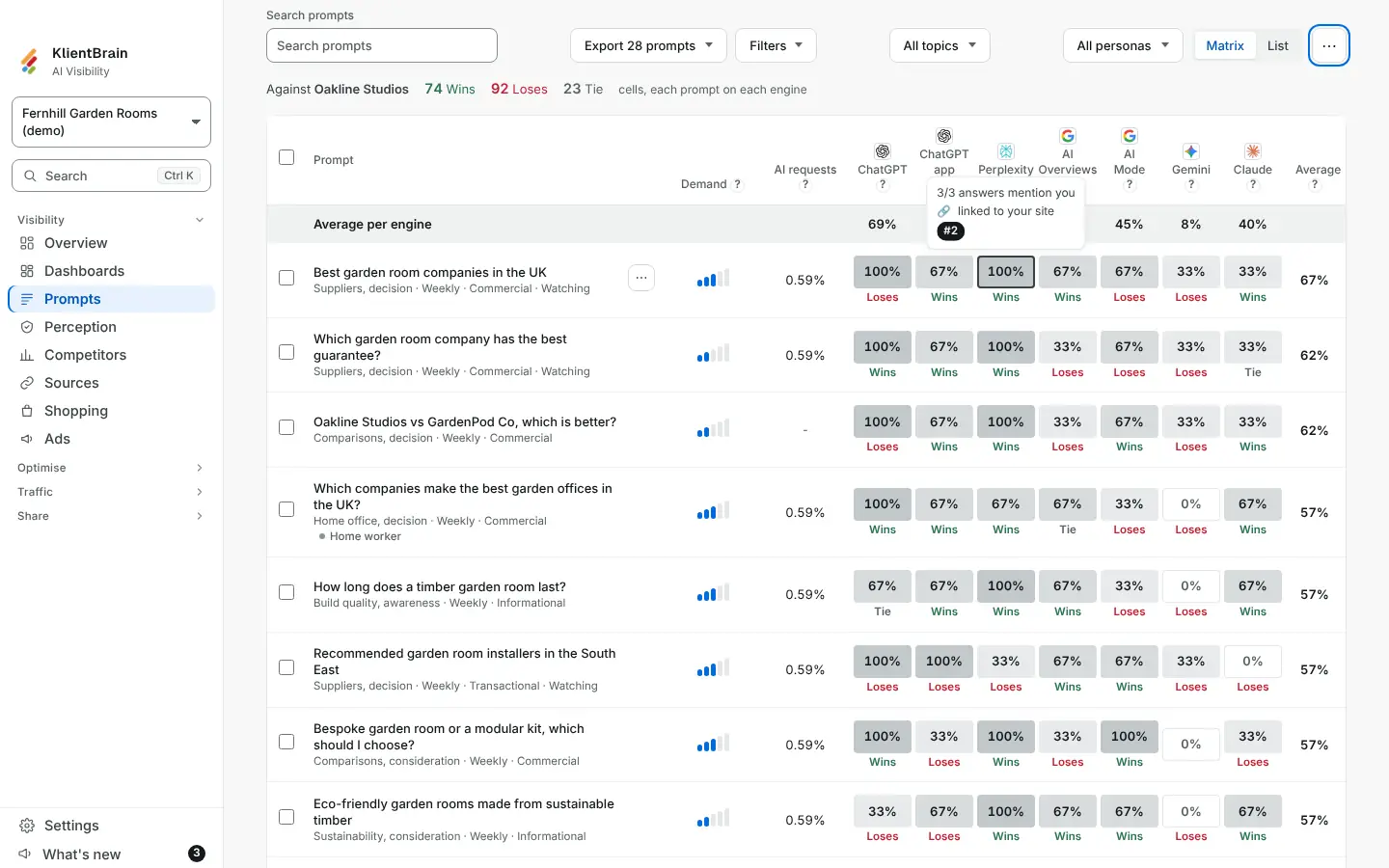
The Matrix view of Prompts shows one cell for each prompt on each engine. Two additions sit on those cells: a position chip, and a head-to-head against one competitor.
Position chips
Under the share in each cell is a small chip such as #1 or #4. It is the average place your brand was named in the answers for that cell, rounded to a whole number.
- #1 and #2 are dark and count as a Top pick.
- #3 and lower are outlined and count as Mentioned lower.
A cell where you were not named has no chip. The legend under the grid explains the colours and the chips.
Compare with one competitor
- On Prompts, open the ⋯ menu (More options).
- Under Compare with, choose a competitor. The list holds the competitors you track in this project, so it is missing until you have added one.
Each cell now also shows Wins, Loses or Tie, and a line above the grid reads Against the competitor's name with a count of each.
How a cell is decided
For each answer in the cell:
- Both of you are named: the one named first wins. The same place is a tie.
- Only you are named: you win.
- Only the competitor is named: you lose.
- Neither is named: the answer is not counted.
The cell takes the majority of the counted answers. A level count is a tie. A cell with no counted answers shows no result. Failed answers are left out.
Limits
- Only the Matrix view shows chips and results. The List view does not.
- You can compare with one competitor at a time. Choose Compare with again to clear it or pick another.
- This is a count of answers from your saved checks. It says who was named first, not whose answer was better.
For win rate across all your tracked brands and the prompts a rival wins, see Win rate and prompts a rival wins. For the whole page, see Organise and export your prompts.