
Some actions send something outside KlientBrain. When your workspace uses the Review step, a request from a member waits for a workspace Admin to approve it first.
What waits
| Kind on the list | What it does when approved |
|---|---|
| Outreach email | Sends the email from Fix with AI |
| Send to another app | Sends a finding to Notion or Linear from Ask AI |
| Send pages to search engines | Sends pages through IndexNow |
| Slack channel request | Emails our support to ask for a shared Slack channel |
| Draft for WordPress, Publish to WordPress | Saves a draft in WordPress, or publishes a post or page |
| Create in AEM, Create in Webflow, Create a CMS draft | Creates a draft in that system |
| Content draft | Adds a draft written by the content agent to your drafts |
Approving a Fix with AI draft, or a change Ask AI previews inside the app, does not use this list, because nothing leaves the app.
Sending the same unchanged draft to WordPress a second time asks first, when you press Send: do you want to update the draft that is already there instead of making a second one? Say yes and the one draft is updated. If the draft was changed since, or you removed the first one, it is sent as a new draft.
Who does what
- Admins approve or reject. An Admin's own request goes straight out and is recorded in the audit log. The exception is publishing to WordPress, which waits for everyone, an Admin too.
- Members can ask. Their request answers Sent for review. An Admin needs to approve it before it goes out. and waits.
- Viewers can read the list. Client logins do not see it.
The Review card
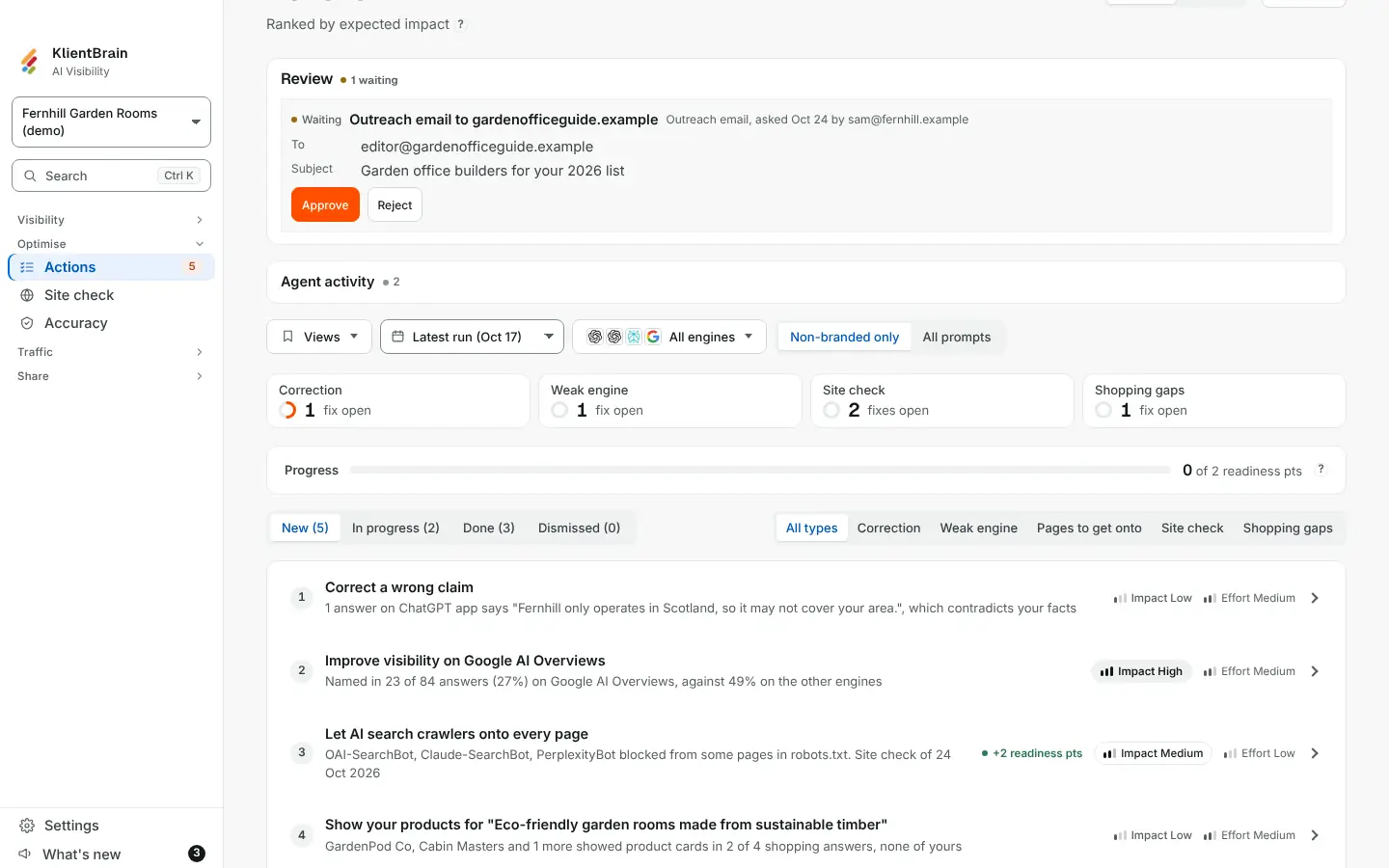
On the Actions page, a Review card appears at the top when there is anything on it, with a count such as 2 waiting. Each item shows its kind, who asked and when, the details (for an email, the To, Subject and text) and, for an Admin, Approve and Reject. Anyone else sees Waiting for an Admin.
- Approve asks you to confirm (except for a content draft), then runs the request right then. Every normal rule still applies at that moment, such as daily limits. The message reads Approved and sent, Approved and published or Added to drafts.
- Reject throws the request away. It never runs.
- If an approval cannot run, the item stays waiting with the reason after Not sent, and you can reject it.
- Decided items sit in a fold-out headed Earlier, with a count, showing who decided and when.
Up to 50 items can wait in a project. Replies to an outreach email go to the person who asked for it, not the Admin who approved it.
Limits
- Only requests made by hand wait here. Things you set up in advance, such as scheduled emails or report emails, run on their schedule.
- You cannot edit a request before approving it. Reject it and ask again.
- Nobody is notified that something is waiting.